Changing a website’s domain name
Want to change your website’s domain name? Follow the steps below to change your hosting package settings.
Before you start:
- In your website, change the old domain name to the new domain name.
- Make sure the DNS of the new domain name points to your hosting package.
- This does not change the domain name shown on your invoice (Send us a message ↗ ).
How to change your website’s domain name
After completing the steps above, follow these steps to change your website’s domain name.
- Log in to My Hosting.NL ↗
- Click on Services
- Click on the appropriate subscription
- Click Login to the Plesk control panel
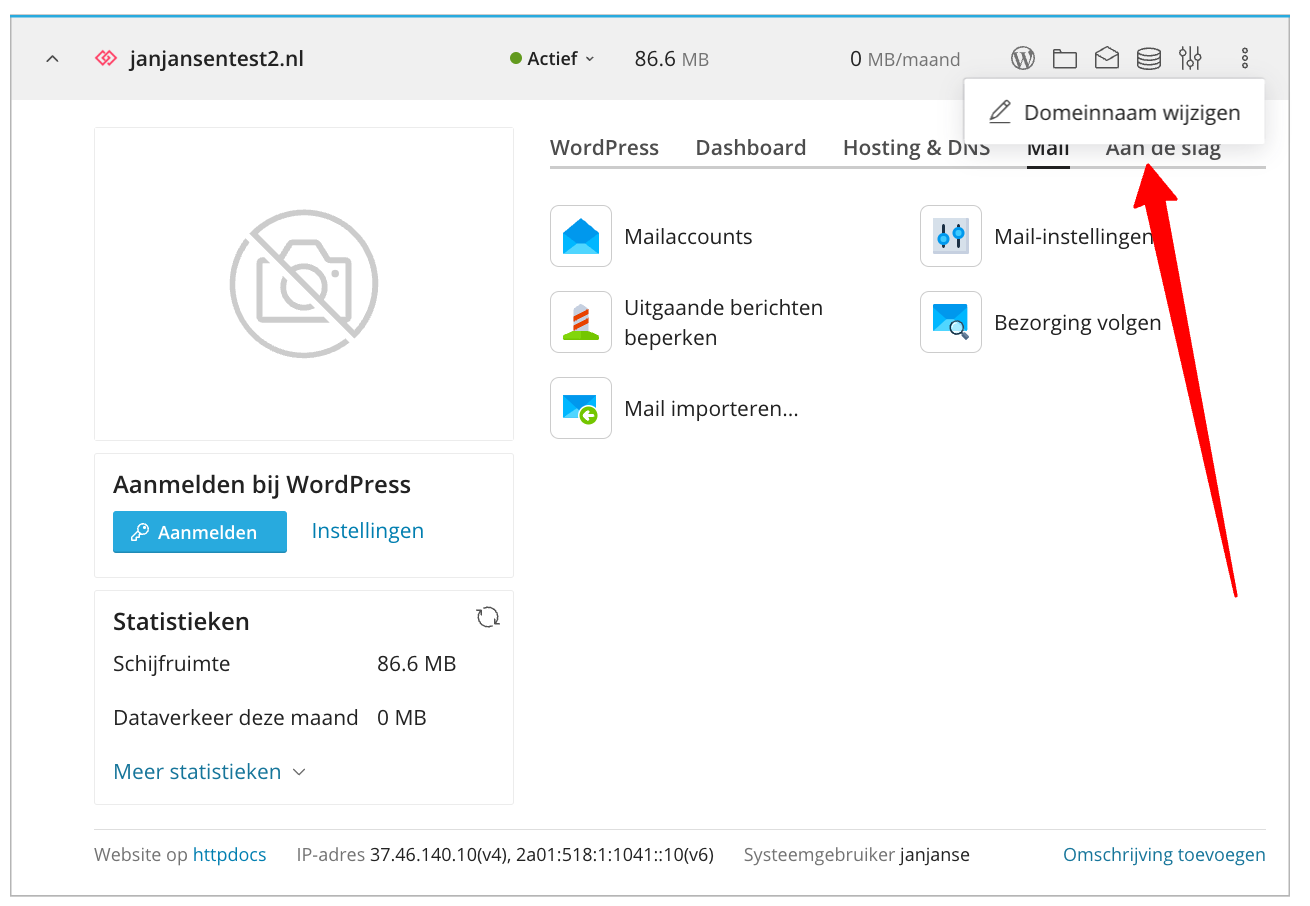
- Click on the three dots and then on Change domain name
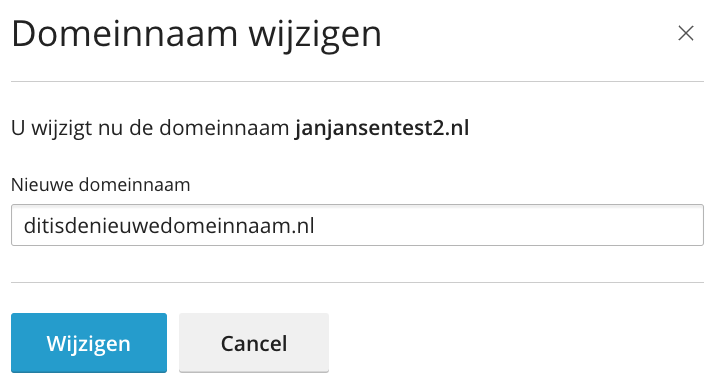
Enter the new domain name in the New domain name field and then click Change
- Now it is important to reactivate SSL. Read here how to do that.